How to Find and Play the Thanos Snap Google Trick Today
As of 2026, the official Thanos snap trick has been retired from the live Google search results page. However, you can still experience the full animation, including the sound effects and result disintegration, by visiting the elgoog.im Thanos mirror. This preservation site maintains the original code launched in 2019 for Avengers: Endgame.
In April 2019, the digital world witnessed a crossover event that remains one of the most celebrated interactive promotions in search history. To celebrate the release of Avengers: Endgame, Google engineers hidden a "snap" mechanic within the search results for the Mad Titan himself. It wasn't just a static image; it was a fully realized JavaScript and HTML5 Canvas animation that literally turned half of your search results into digital dust.
While Google typically cycles through these promotional Easter eggs to keep the search interface clean, the popularity of the Thanos trick led to its preservation by the community. Today, it stands as a testament to how web technology can be used to create immersive, narrative-driven experiences within a standard browser window. Whether you are a Marvel superfan or a web developer interested in particle physics, the Thanos snap remains a top-tier example of creative coding.
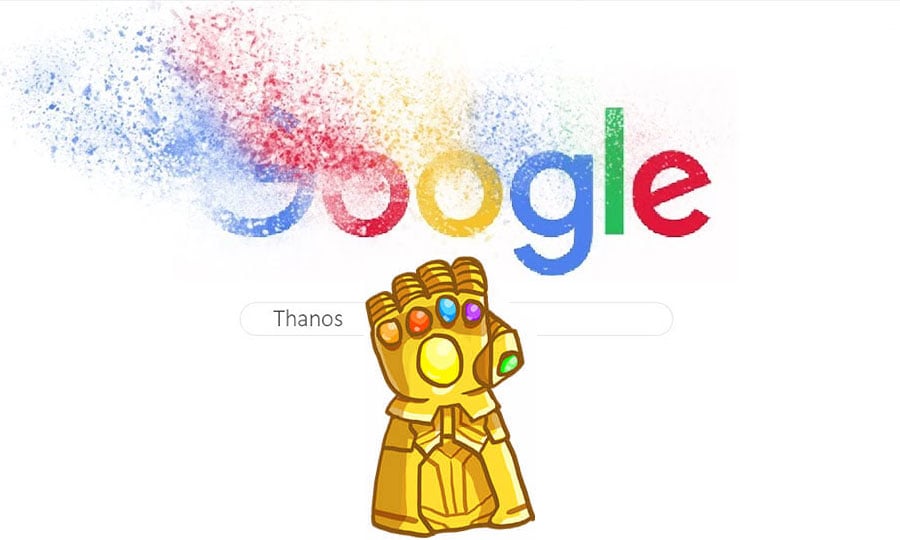
Image source: elgooG
Is the Thanos Snap Trick Still on Google?
If you head to Google.com right now and search for "Thanos," you will notice something missing: the golden Infinity Gauntlet. Google officially retired the feature in 2020. This is standard practice for the search giant; most promotional Easter eggs, like those for The Batman or Wizard of Oz, have a limited lifespan on the primary domain to ensure the search engine remains fast and functional for billions of daily users.
However, "retired" does not mean "deleted." The role of preserving these digital artifacts has been taken up by elgoog.im. This site acts as a functional archive for Google’s most famous discontinued projects. Because they host the original scripts and assets, the experience you get on the mirror site is identical to what users saw during the peak of Endgame fever in 2019.
According to elgoog.im, the preservation of the Thanos trick required maintaining specific particle animation libraries that Google originally developed. By visiting the mirror, you aren't just looking at a video of the trick; you are interacting with the actual code that calculates which elements on the page should "die" and which should "live," perfectly mimicking the random nature of the Snap from the films.
How to Activate the Thanos Snap on Desktop and Mobile
Activating the trick is straightforward, but because the layout of search results has changed significantly since 2019, finding the trigger can sometimes be a challenge, especially on smaller screens. Here is how you can find the gauntlet and trigger the Decimation.
Step-by-Step Instructions for the elgoog.im Mirror
- Open your preferred web browser (Chrome, Safari, and Firefox are all highly compatible).
- Navigate to the dedicated Thanos Snap page on elgoog.im.
- Look for the Knowledge Panel on the right side of the screen (on desktop) or at the top of the results (on mobile).
- Locate the small, golden Infinity Gauntlet icon. It is usually positioned next to the "Share" button or just below the image gallery for Thanos.
- Click or tap the gauntlet once. You should hear the distinct metallic "snap" sound.
How to Find the Gauntlet on Your Phone
On mobile devices, the Google layout is much more condensed. This often causes the gauntlet to be hidden behind "About" tabs or pushed further down the page. When using the mirror site on an iPhone or Android device, the gauntlet often appears as a floating overlay or is pinned to the very top of the "All" results tab.
One common pitfall is trying to find the trick while in the "Images" or "Videos" tab. The JavaScript that handles the disintegration is specifically designed to target text-based search result snippets and small thumbnails. If you are in the wrong tab, the gauntlet may not appear, or the snap may fail to trigger. Always ensure you are on the primary "All" results page for the script to execute correctly.
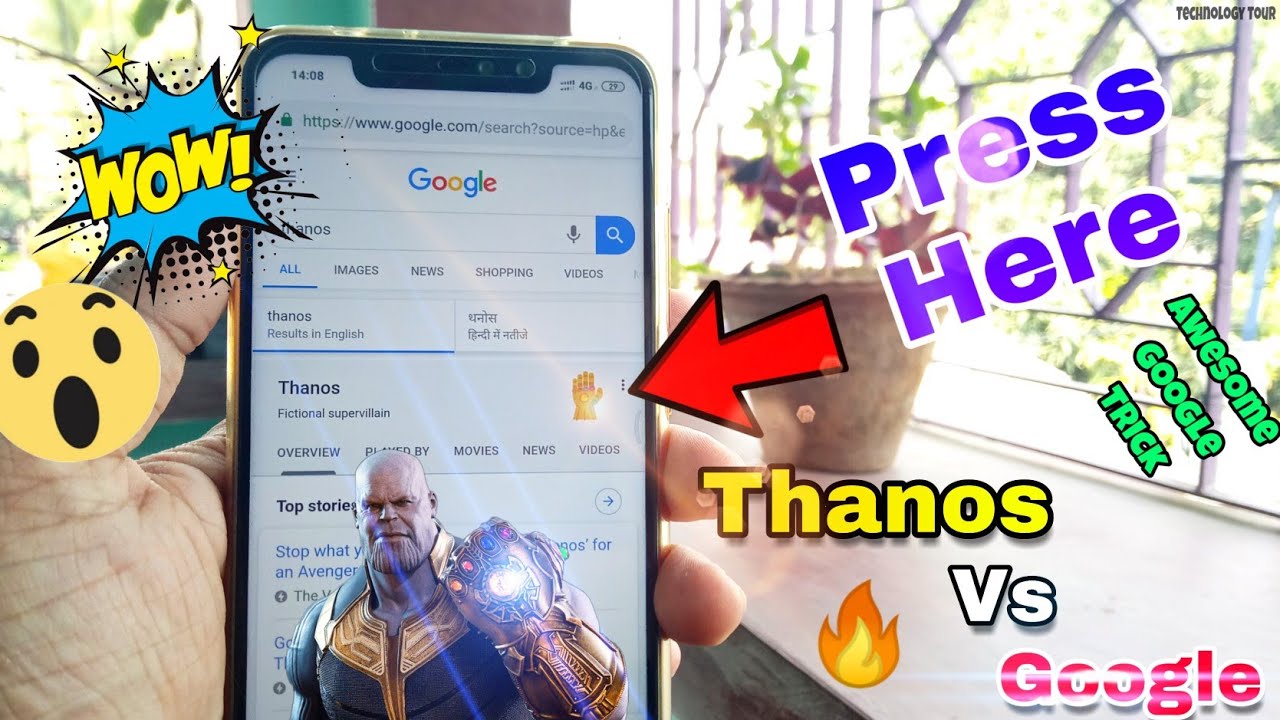
Image source: YouTube
What Happens When You Click the Infinity Gauntlet?
The Thanos snap trick is widely regarded as one of the most technically impressive Easter eggs Google has ever produced. When you click the gauntlet, a sequence of events is triggered that transforms the static webpage into an interactive canvas.
The Visual Effect
The script selects approximately 50% of the elements on the page at random. These elements are then "shredded" into thousands of tiny particles that drift upward and fade away, mimicking the "dusting" effect seen in the movies.
The Data Change
If you look at the top of the page where Google displays the number of results (e.g., "About 98,000,000 results"), you will see the number physically roll back until it is exactly half of the original count.
Technically, this is achieved using HTML5 Canvas. The browser takes a "snapshot" of the search result elements, converts them into a canvas element, and then applies a particle system to that canvas. This allows the text to appear as if it is breaking apart into individual grains of sand. It is a sophisticated piece of front-end engineering that few other promotional tricks match in terms of complexity.
How to Use the Time Stone to Restore Your Results
Just as the Avengers used the Infinity Stones to undo the damage caused by Thanos, the Google trick includes a built-in reversal mechanism. This is a nod to the climax of Avengers: Endgame and the specific powers of the Time Stone.
To restore your search results, you simply need to click the Infinity Gauntlet a second time. Instead of a snap, the gauntlet will glow with a vibrant green light—the signature color of the Time Stone. A "rewind" sound effect plays, and the particles that previously drifted away will begin to fly back into place, reassembling the search results exactly as they were before.
This reversal is not just a simple page refresh. The animation actually plays in reverse, showing the "dust" coalescing back into readable text and images. It is a highly satisfying conclusion to the interaction and demonstrates the attention to detail that went into the original 2019 development.
The Hidden Lore Behind the Thanos Snap Mechanism
While the Google trick is a fun piece of web history, it also sparks interesting debates within the Marvel fan community regarding how the Snap actually works from a "scientific" or "engineering" perspective in the MCU lore.
Is the Snap a Biological Circuit Breaker or Universal Programming?
There are two primary schools of thought regarding the mechanics of the Infinity Gauntlet, both of which provide a deeper appreciation for the "Snap" gesture itself.
According to some engineering-focused fans, the snap acts as a biological circuit breaker. The Infinity Stones possess near-infinite power that would normally destroy any user instantly. By tying the activation to a specific physical gesture (the snap), Thanos created a safety valve that allowed the energy to be released in one precise, controlled burst rather than a continuous, lethal flow. This theory is supported by the massive "surge" seen on the gauntlet just before the snap occurs.
Another perspective, often discussed in Marvel community forums, is that the snap is a form of universal programming. In this view, the Infinity Stones are the "source code" of reality. Thanos didn't just wish for people to die; he used the gauntlet as a user interface to "code" a specific instruction into the universe: Delete 50% of all living entities at random. The snap was simply the "Enter" key that executed the command.
This "programming" analogy fits perfectly with the Google trick. Just as Thanos used the stones to manipulate the data of the universe, the Google script manipulates the Document Object Model (DOM) of the webpage. It is a rare instance where the lore of a fictional universe perfectly mirrors the technical reality of the medium used to celebrate it.
7 Other Google Easter Eggs You Can Still Play Right Now
The Thanos snap is part of a long tradition of Google "Easter eggs"—hidden features that developers tuck away for users to find. While many are retired, several remain active on the main Google site or preserved on mirrors. If you enjoyed the Thanos trick, these are the top-rated alternatives to try next.
| Trick Name | Search Keyword | Effect | Status |
|---|---|---|---|
| Holi | "Holi" | Click the triangles to throw paint splatters across the screen. | Active |
| The Mandalorian | "Grogu" | A small Grogu appears; click him to have him "Force pull" results. | Active |
| NASA DART | "NASA DART" | A satellite crashes into the page, knocking the results off-kilter. | Active |
| Wizard of Oz | "Wizard of Oz" | Click the ruby slippers to spin the page into sepia tone. | Mirror Only |
| Do a Barrel Roll | "Do a barrel roll" | The entire search page performs a 360-degree rotation. | Active |
| Askew | "Askew" | The page tilts slightly to the right, making it look crooked. | Active |
| Google Gravity | "Google Gravity" | All elements of the search page crash to the bottom. | Mirror Only |
Among these, the Grogu (Baby Yoda) trick is a fan favorite for those who enjoy interactive characters. Much like the Thanos gauntlet, Grogu interacts directly with the search results, using the Force to dismantle sections of the page. It represents the modern evolution of Google's Easter egg philosophy—moving from simple visual filters to interactive, character-driven animations.
For those interested in linguistic quirks, searching for "Anagram" will prompt Google to ask, "Did you mean: Nag a ram?" This subtle nod to the definition of the word itself is a classic example of the wit Google developers often hide in plain sight.
Frequently Asked Questions
Key Takeaways
- Official Status: The Thanos snap was retired from Google.com in 2020 but remains playable via mirrors.
- Where to Play: Visit elgoog.im/thanos to experience the original 2019 animation.
- The Mechanic: Click the golden Infinity Gauntlet to "dust" 50% of the search results.
- The Reversal: Click the gauntlet again to use the Time Stone and restore the page.
- Technical Feat: The trick uses HTML5 Canvas to turn text into drifting particles.
- Mobile Access: The trick works on mobile browsers, though the gauntlet position may shift based on your screen size.
- Active Alternatives: Try searching for "Grogu" or "Holi" on Google for tricks that are still live.
The Thanos snap remains a landmark moment in the history of the internet, blending cinema and technology into a single, memorable interaction.
To see the dusting effect in action right now, head over to the elgoog mirror and try the snap for yourself.