To post a throwback instagram story, you can either use the Archive feature (Profile > Your Activity > Archive) to reshare "On This Day" memories or upload old photos directly from your camera roll. Instagram automatically adds a date sticker to content older than 24 hours, which you can customize or delete. For a modern aesthetic, use film filters, Polaroid templates, or the "Add Yours" engagement sticker to invite others to share their own nostalgic moments.
In the fast-paced world of social media, nostalgia remains a powerful currency. Sharing a throwback Instagram story is no longer just a Thursday ritual; it has evolved into a strategic way to maintain a consistent presence, share personal history, and engage followers when new content is scarce. Whether you are looking to participate in #TBT or simply want to share a "photo dump" from a recent trip, understanding the technical tools and creative trends is essential for standing out in a crowded feed.
Where Did the Instagram Archive and Memories Go?
One of the most frequent frustrations for users in recent months involves the shifting user interface (UI) of the Instagram app. As of 2026, many users have noticed that the "Archive" button is no longer prominently displayed on the main profile menu. This change has led to confusion regarding how to access the "On This Day" feature.
Navigating the 2026 User Interface
According to community reports and platform updates, the Archive has been moved to consolidate user data. To find your old stories, follow this path: Profile > Hamburger Menu (three lines) > Your Activity > Archive. Within this section, you can toggle between the Stories Archive, Posts Archive, and Live Archive. The Stories Archive is where your "On This Day" memories are generated, showing you exactly what you posted on this calendar date in previous years.
The Create Mode Clock Icon Hack
If you find the "Your Activity" menu too cumbersome, there is a faster way to access memories directly from the Story camera. Open the Instagram camera, tap the "Aa" (Create) icon on the left sidebar, and scroll through the bottom options until you see a Clock/Timer icon. This is the dedicated "On This Day" mode. It will automatically pull a random memory from your archive, allowing you to cycle through different years by tapping the screen. This method is often more reliable for users who report that their standard Archive page is not loading correctly, a common issue discussed in community troubleshooting forums.
Syncing with Meta Accounts Center
For those who find their Instagram Archive completely empty or missing specific dates, the Meta Accounts Center offers a potential workaround. If your Instagram and Facebook accounts are linked, your memories are often cross-saved. By checking the "Memories" tab on the Facebook mobile app, you can frequently find Instagram stories that were cross-posted. This cross-platform synchronization serves as a backup for your digital history, ensuring that a glitch in one app doesn't result in the loss of your favorite moments.
How to Post a Throwback Story from Your Camera Roll
While the Archive is great for resharing, many throwbacks involve photos that were never posted in the first place. Instagram significantly changed its functionality in late 2017 by removing the 24-hour upload restriction, as noted by Digital Trends. This allows you to reach back years into your camera roll to find the perfect "unposted" gem.
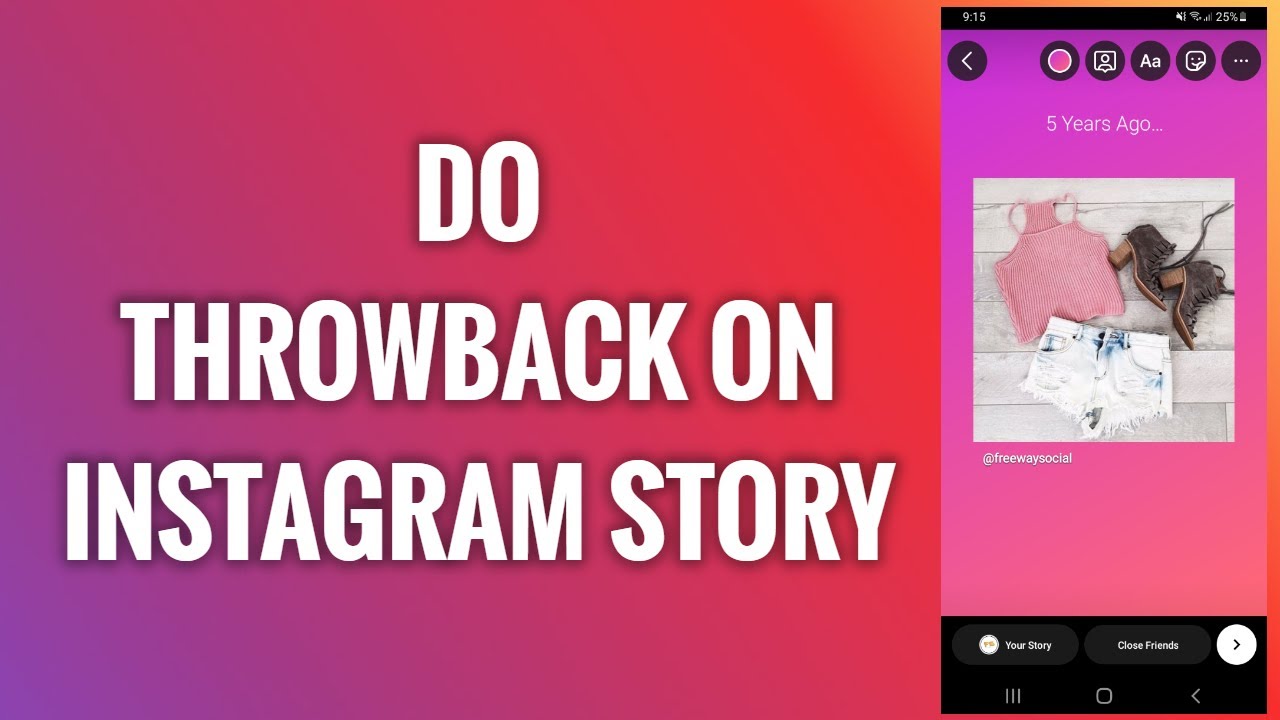
Image source: YouTube
Managing the Automatic Date Sticker
When you select a photo or video that was taken more than 24 hours ago, Instagram automatically generates a date sticker based on the file's metadata. This sticker is designed to provide transparency, letting your followers know the content isn't "live." However, you have full creative control over this element:
- Resize and Rotate: Use two fingers to pinch or expand the sticker.
- Change Style: Tap the sticker to cycle through different color schemes (white, black, translucent).
- Delete: If the sticker ruins your aesthetic, simply press and hold it, then drag it to the trash can icon at the bottom of the screen.
Creative Ways to Make Your Throwbacks Look Aesthetic
A "raw" throwback can sometimes feel out of place if your current Stories follow a specific visual theme. To bridge the gap between the past and your present "vibe," many users turn to specific editing techniques and templates.
The Polaroid and Film Frame Trend
One of the most popular ways to signal a throwback is by using digital frames. White Polaroid borders or grainy 35mm film strips provide an immediate visual cue that the content is nostalgic. You can achieve this using third-party apps like Canva or Adobe Express, or by using Instagram's native "Layout" tool combined with specific filters like "G6" or "VCR."
Popular Layout Motifs and Recipes
In recent months, the "Blue Butterfly" and "Scrapbook" aesthetics have dominated the platform. These involve using circular photo placeholders or layering multiple old photos over a minimalist black or beige background. This "photo dump" style allows you to share multiple memories at once without overwhelming your followers' feeds.
| Tool | Best For | Ease of Use | Cost |
|---|---|---|---|
| Instagram Native | Quick resharing, date stickers | High | Free |
| Canva | Aesthetic templates, film frames | Medium | Free/Paid |
| Unfold | Minimalist, editorial layouts | High | Subscription |
| Adobe Express | Professional-grade design | Medium | Free/Paid |
Professional Strategies for Stretching Your Content
Influencers and brand managers often use throwbacks as a strategic tool rather than just a nostalgic whim. This approach, sometimes called "content stretching," ensures that high-quality assets provide value long after the initial event.
The Influencer Dry Spell Method
Maintaining a daily presence on Instagram is demanding. The "Dry Spell" method involves saving a portion of your content from a major event—like a vacation or a wedding—specifically to be used as throwbacks later. Instead of posting 50 stories in one day (which many followers skip), savvy creators post 10 live and save the remaining 40 to be sprinkled throughout the year. This keeps engagement high during weeks when the creator might not be doing anything "Instagram-worthy."
The Social Buffer Concept
Community insights suggest that throwbacks are often used as a "social buffer." If a user feels their current appearance or environment doesn't match their desired grid aesthetic, they may use a high-quality throwback to maintain their "look" while they prepare new content. This psychological use of nostalgia helps maintain brand consistency without the pressure of constant real-time perfection.
Advanced Hacks for Power Users
For those looking to maximize reach, standard posting isn't enough. You need to leverage the algorithm's preference for interactive and "fresh" content.
Stripping Metadata for Fresh Content
If you want to post an old photo but don't want Instagram to recognize it as a throwback (thus avoiding the automatic date sticker and potentially getting better reach as "new" content), you can strip the EXIF metadata. By using a metadata removal app or simply taking a screenshot of the original photo, you create a new file with a current timestamp. Instagram will treat this as a brand-new capture.
The Add Yours Engagement Loop
The "Add Yours" sticker is one of the most effective tools for viral reach. By searching for "Throwback" or "A photo from [Year]" in the sticker gallery, you can join a chain of thousands of other users. When someone views your story through an "Add Yours" prompt, the algorithm often prioritizes your content to others who have participated in that specific chain, potentially leading to a significant increase in views compared to a standard story.
Popular Captions for Every Type of Throwback
Choosing the right words is just as important as the visual. According to XYXX Crew, categorized captions help set the mood and encourage follower interaction.
Short and Witty Captions
- Witty "From the vault."
- Witty "Unposted gems."
- Witty "Memory unlocked."
- Witty "Proof that I used to go outside."
- Witty "Drafts finally seeing the light of day."
- Witty "A moment for the archives."
Travel and Adventure Captions
- Travel "Mentally here."
- Travel "Take me back to the sunshine."
- Travel "Missing this view more than words can say."
- Travel "Wanderlust is hitting hard today."
- Travel "Found this in my camera roll and now I'm booking a flight."
- Travel "Passport stamps and memories."
Childhood and Nostalgia Captions
- Nostalgia "Little me."
- Nostalgia "Time flies when you're having fun."
- Nostalgia "Circa [Year]."
- Nostalgia "Back when things were simpler."
- Nostalgia "Same smile, different year."
- Nostalgia "Vintage vibes only."
Frequently Asked Questions
How do you do a throwback story on Instagram without the date sticker?
When you upload an old photo, Instagram automatically adds a date sticker. To remove it, simply tap and hold the sticker, then drag it to the trash can icon that appears at the bottom of the screen. Alternatively, you can take a screenshot of the photo in your gallery to create a new file with current metadata, which prevents the sticker from appearing in the first place.
Why is my Instagram Archive not showing "On This Day"?
This is often due to UI updates or temporary app glitches. First, ensure you are looking in the correct place: Profile > Your Activity > Archive. If it's still missing, try using the "Create Mode" hack by opening the Story camera, tapping the "Aa" icon, and scrolling to the Clock icon. If all else fails, check your synced Facebook Memories via the Meta Accounts Center.
Is #TBT still a thing in 2026?
While the specific hashtag #ThrowbackThursday is used less frequently than it was in 2015, the practice of sharing old content is more popular than ever. Users now prefer phrases like "From the vault," "Unposted," or participating in "Photo Dumps." The trend has shifted from a specific day of the week to a general aesthetic of nostalgia that can be shared at any time.
Can I share someone else's throwback story?
You can only share someone else's story to your own if they have tagged you in it. If you are tagged, a "Add to your story" button will appear in your Direct Messages. If you aren't tagged, you would need to use a third-party story downloader or take a screenshot (with permission) to share their content, though this is generally discouraged without proper credit.
How do I hide the date on a memory I'm resharing from the Archive?
When you reshare a memory from the Archive, Instagram adds a "Memories" header and the original date. While you cannot always delete the "Memories" text on certain versions of the app, you can often cover it with other stickers, GIFs, or text boxes to better fit your current story's design.
Key Takeaways
- Locate your Archive via the "Your Activity" menu or the "Create Mode" clock icon to find "On This Day" memories.
- Customize the date sticker by tapping to change styles or dragging it to the trash to maintain a clean look.
- Use aesthetic templates like Polaroid frames or film grain filters to give your old photos a cohesive, modern feel.
- Stretch your content by saving high-quality photos from major events to post as throwbacks during slower weeks.
- Boost engagement by using the "Add Yours" sticker to turn your personal memory into a community-wide conversation.
- Sync with Facebook to ensure you have a backup of your stories in case the Instagram UI glitches.
Start by looking through your "Your Activity" tab today to find a forgotten memory and share it using a minimalist film filter for an instant engagement boost.